Write without surveillance.
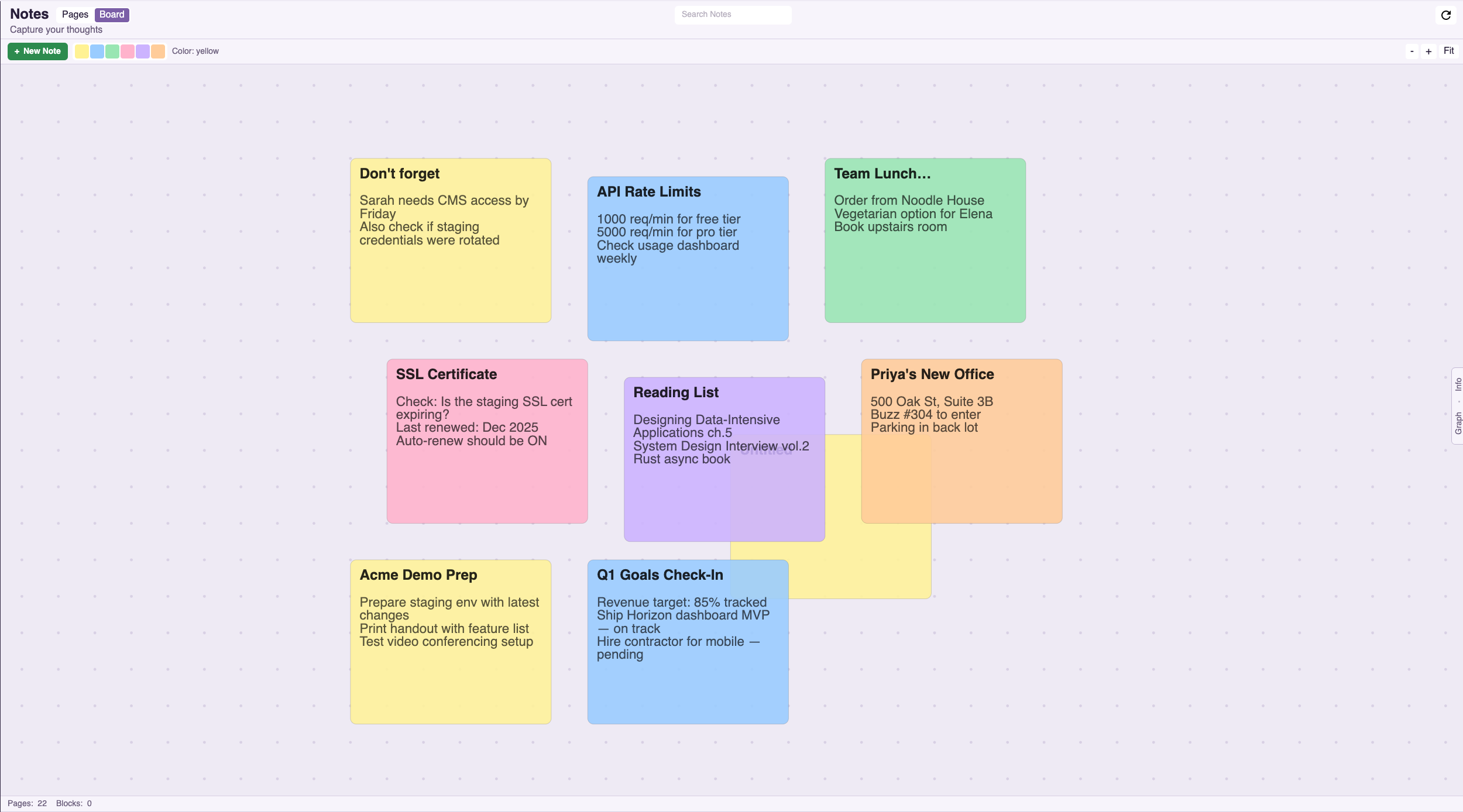
A powerful block-based editor for the privacy-conscious. Rich text, code blocks, structured tables, embedded data from other plugins, and markdown. Toggle to Board View for a free-form sticky note canvas with drag-and-drop, color coding, and zoom. Your thoughts stay yours.
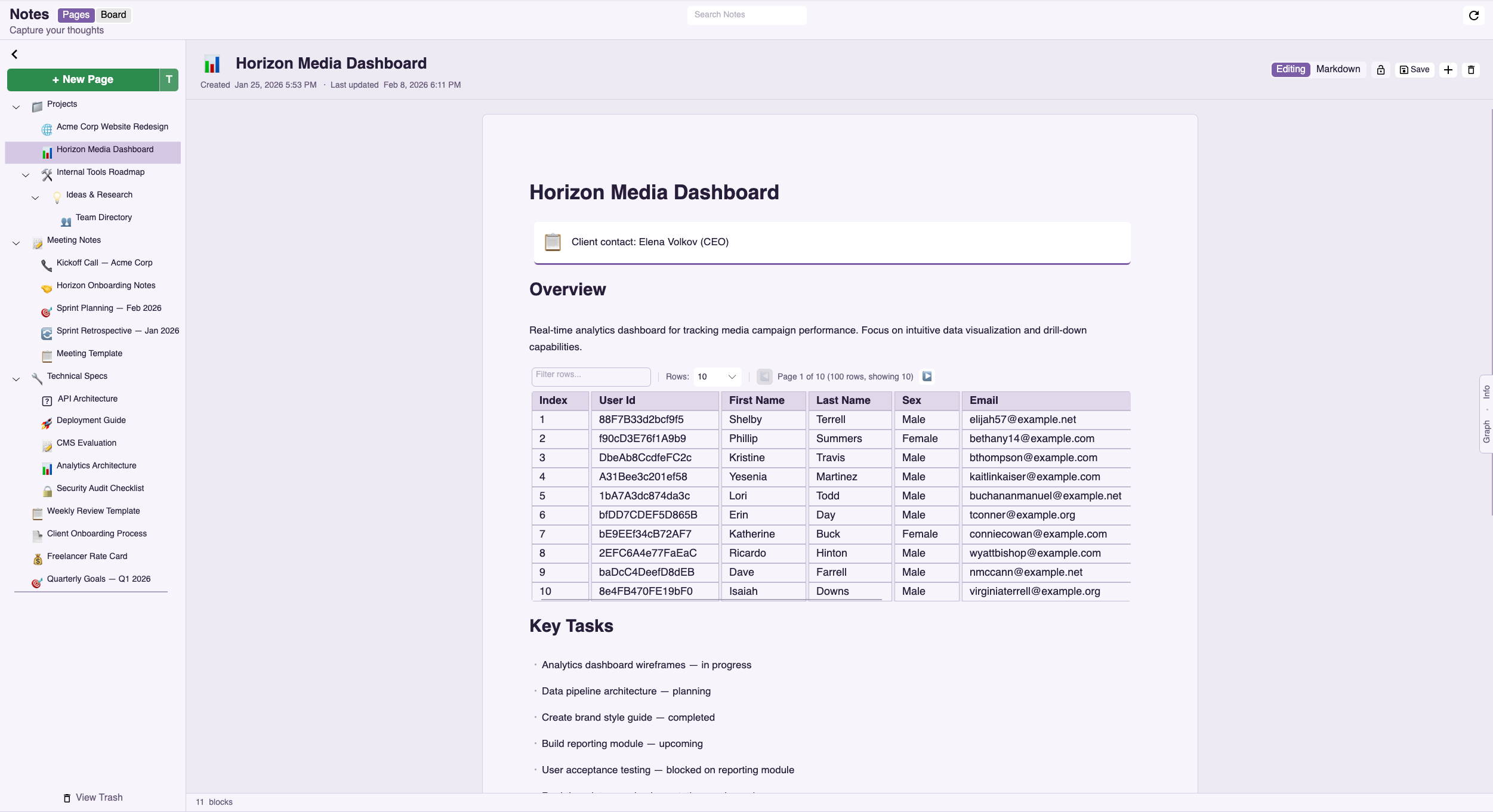
Writing that stays between you and the screen
PrivStack Notes encrypts everything on your device before it goes anywhere. We never see your content. We can't see your content. Your writing is yours alone.
Your thoughts on someone else's servers
Every note-taking app wants your thoughts in their cloud. Your journal entries, meeting notes, and personal reflections — all sitting on servers you don't control, accessible to employees, vulnerable to breaches.
Block-Based Rich Editor
A modern block editor with drag-and-drop, rich text formatting, code blocks with syntax highlighting, markdown with live preview, and image embeds. Write the way you think.
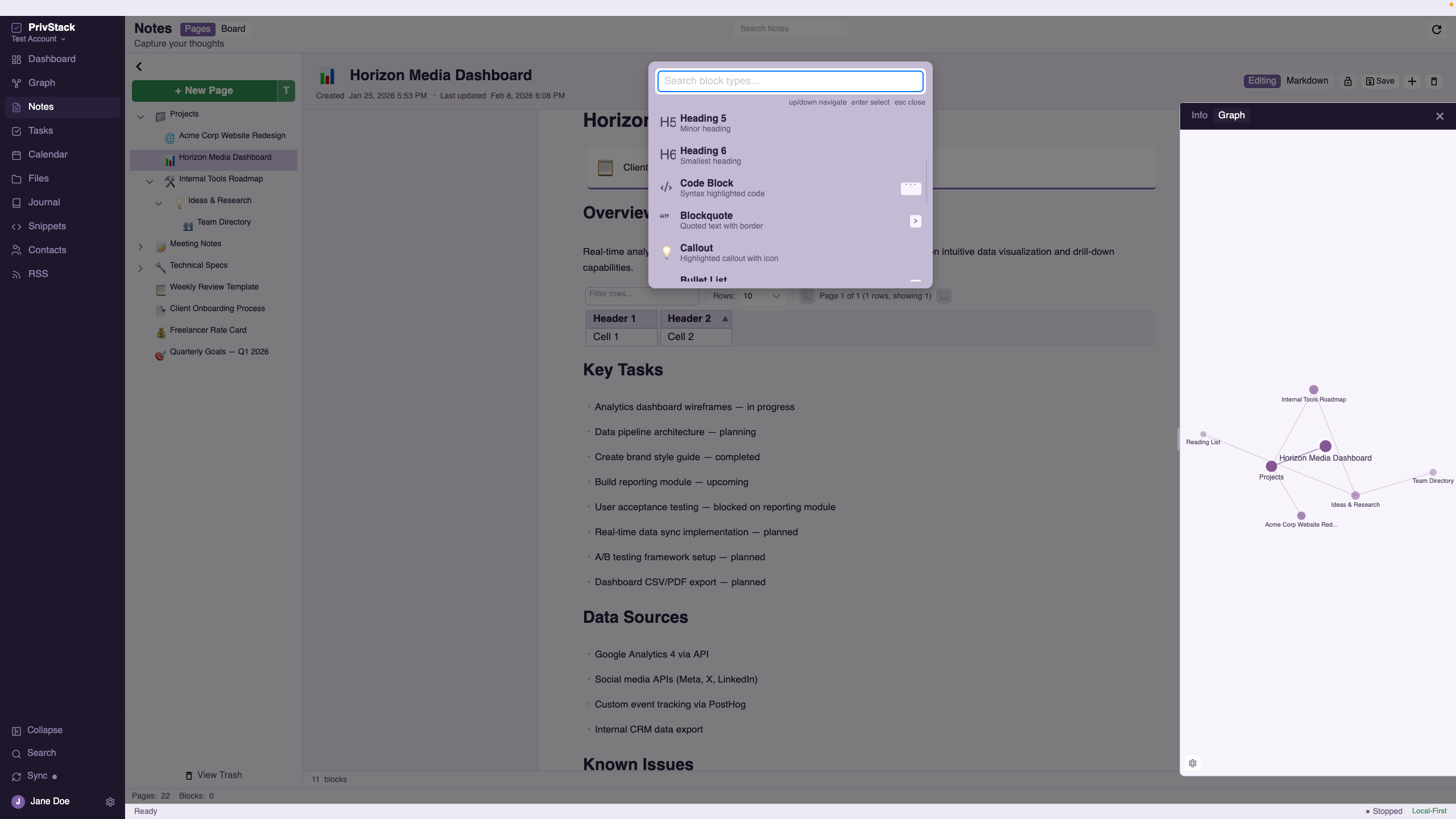
- Drag-and-drop block reordering
- Rich text — bold, italic, headings, lists
- Code blocks with syntax highlighting
- Markdown support with live preview
- Image and file embeds
- Embedded data blocks from other plugins
Structured Tables
Embed powerful data tables directly inside your notes. Import from CSV, JSON, TSV, or pipe-delimited files, then sort, filter, and page through rows. Export in multiple formats.
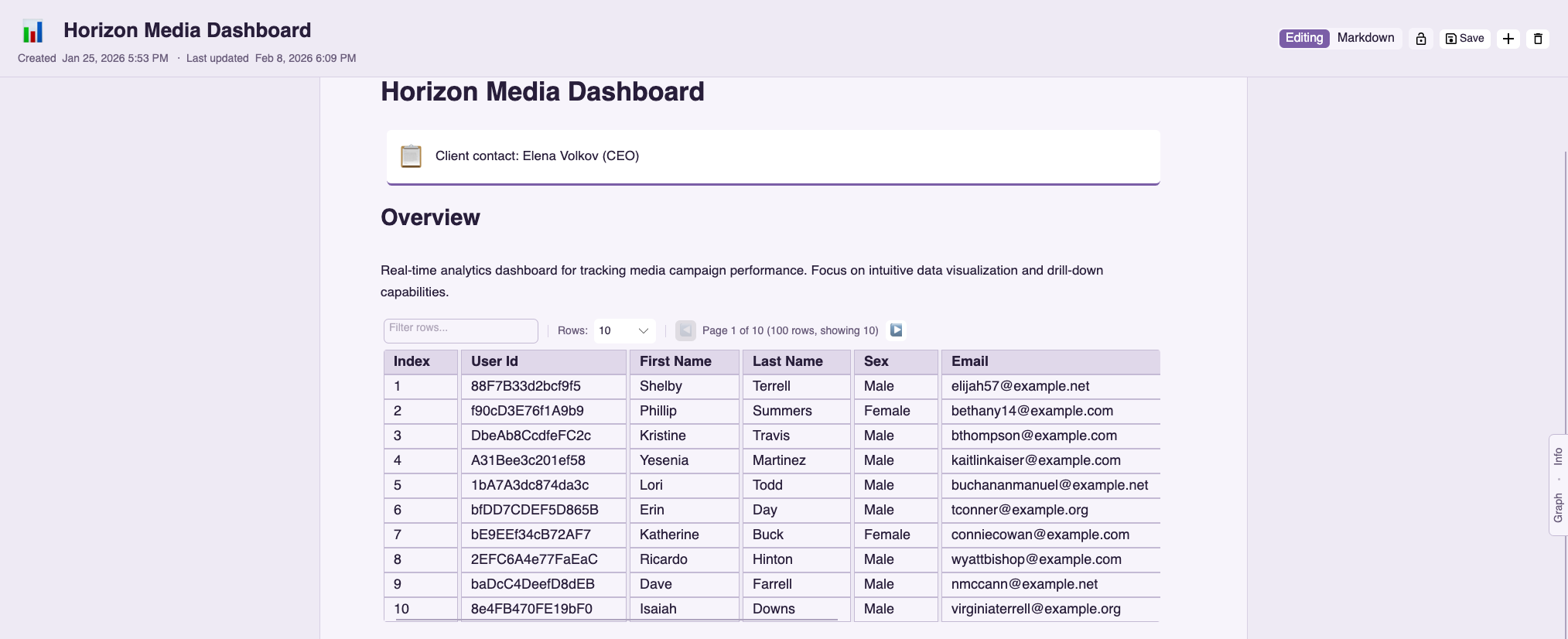
- Add, edit, sort, and filter rows
- CSV, TSV, JSON, and pipe-delimited import
- Export to CSV, TSV, Markdown, and JSON
- Paginated data browsing
- Embedded data blocks within notes
Sticky Board View
A free-form canvas for visual thinkers. Create sticky notes in 6 colors, drag them anywhere, zoom in and out, and organize ideas spatially.
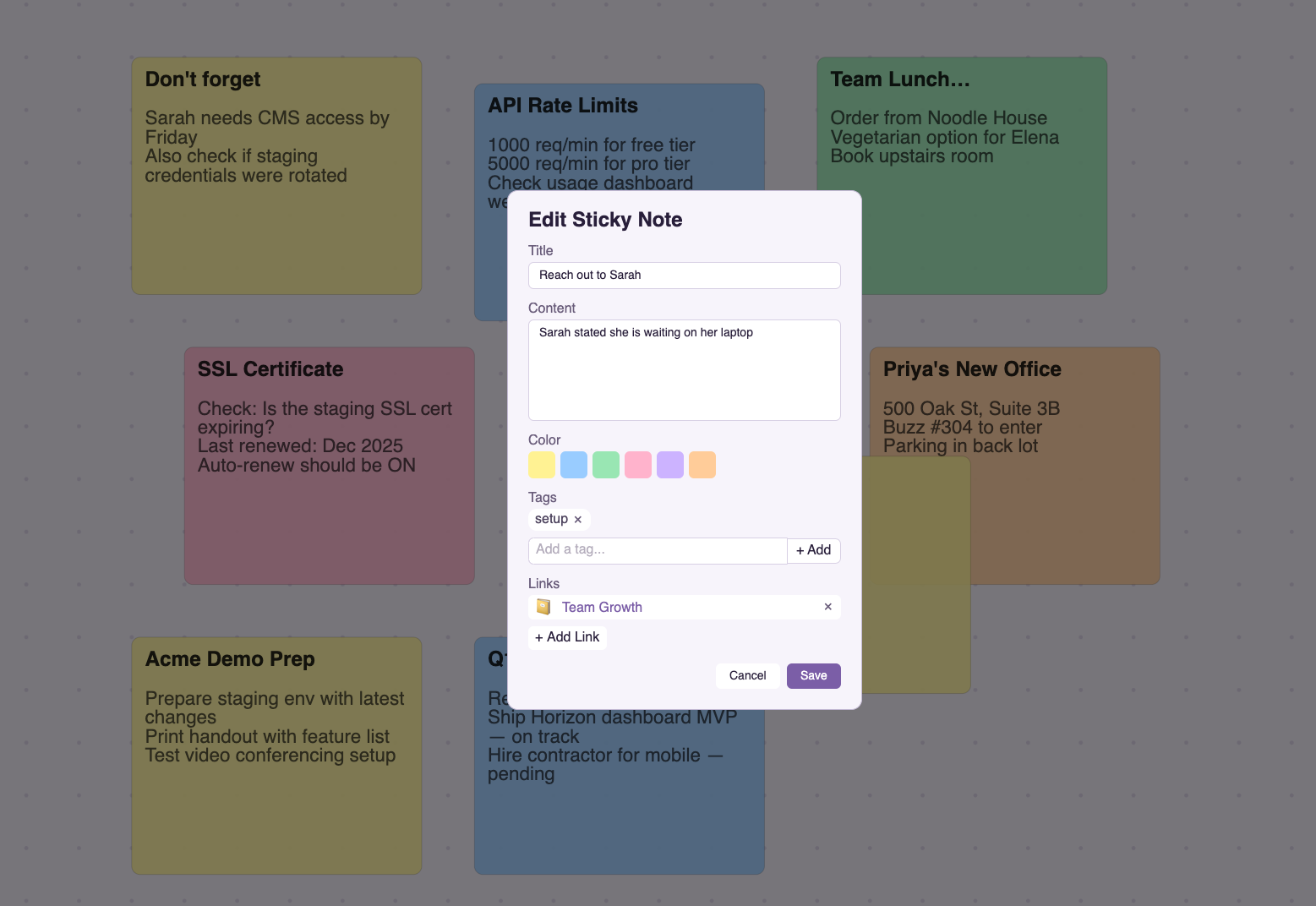
- Free-form canvas with drag-and-drop positioning
- 6 sticky note colors (yellow, blue, green, pink, purple, orange)
- Pan and zoom (0.3x–3.0x) with fit-to-view
- Tags and cross-plugin links on stickies
- Inline editing directly on the canvas
Templates & Custom Properties
Start from built-in templates for meeting notes, project briefs, daily standups, and more. Add custom metadata properties to any note and save reusable property templates.
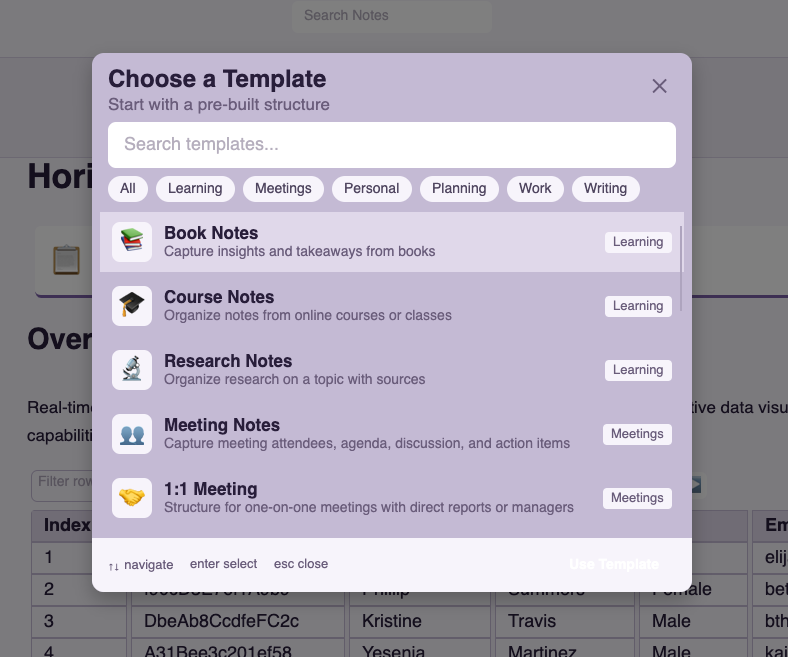
- Built-in templates — meeting notes, project briefs, standups
- Info panel with custom properties per note
- Property templates — save and reuse across notes
- Add your own metadata fields
Organization & Search
Keep everything findable with nested folders, tags, wiki-style backlinks, and full-text search across all your notes.
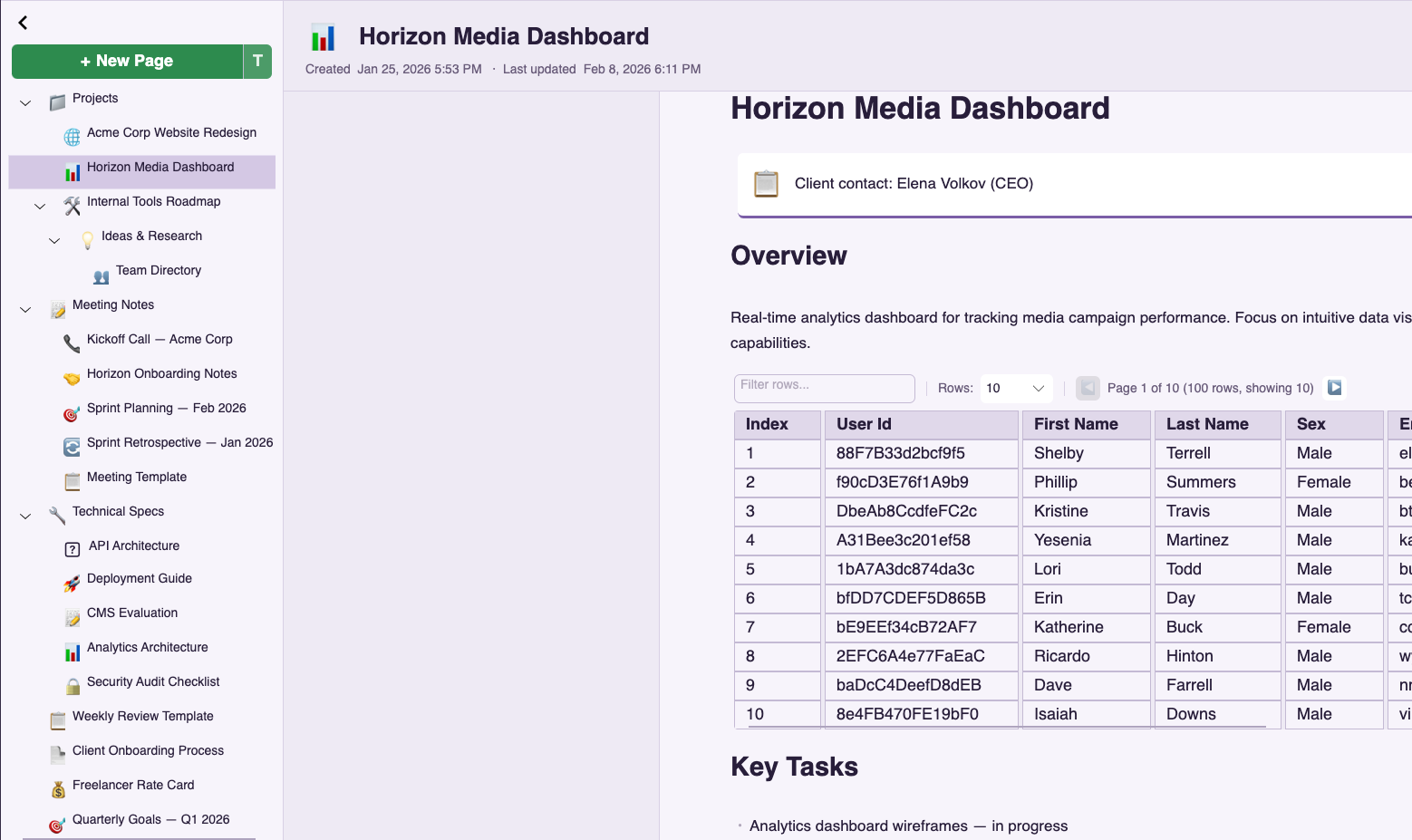
- Tree hierarchy with nested folders
- Tags for flexible categorization
- Wiki-style [[backlinks]]
- Full-text search across all notes
Ready to get started?
Try PrivStack free for 7 days. Your data stays on your devices.